Submit Your AI Tool For FREE!Showcase Your Innovation To Thousands Of AI Enthusiasts!Submit Your AI Tool For FREE!Showcase Your Innovation To Thousands Of AI Enthusiasts!Submit Your AI Tool For FREE!Showcase Your Innovation To Thousands Of AI Enthusiasts!Submit Your AI Tool For FREE!Showcase Your Innovation To Thousands Of AI Enthusiasts!Submit Your AI Tool For FREE!Showcase Your Innovation To Thousands Of AI Enthusiasts!



One.email


Have you ever felt overwhelmed by the constant influx of emails? Are you looking for a smarter way to organize your digital communications? Look no further than one.email, an innovative AI-powered email assistant that is changing the way professionals interact with email.
What is one.email?
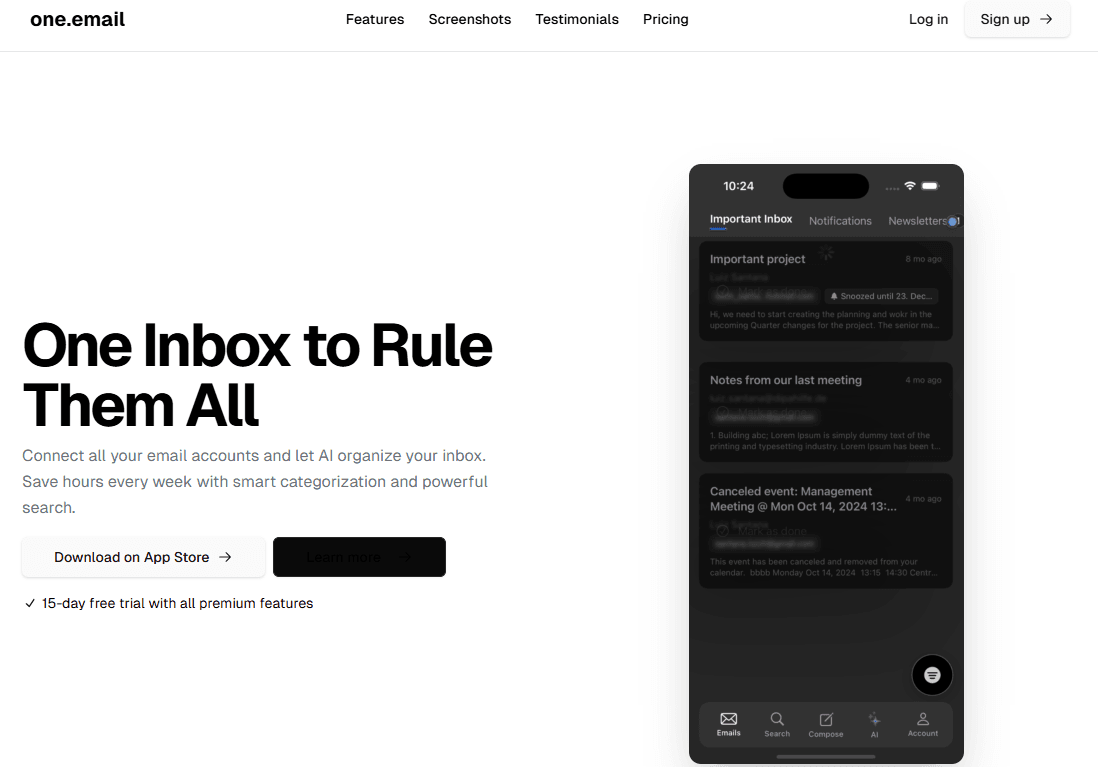
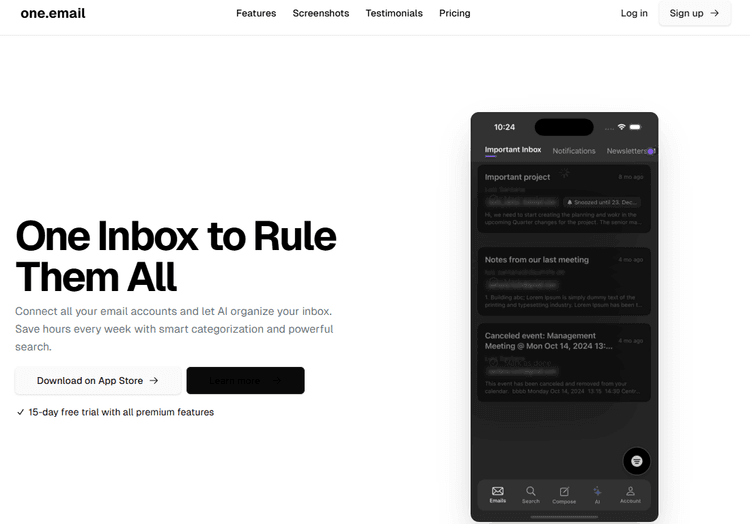
One.email is an advanced AI-powered email assistant that aims to revolutionize your email experience by intelligently organizing your inbox and streamlining your communication workflow. This revolutionary tool uses advanced artificial intelligence to help busy professionals save valuable time that was previously wasted on email management.
At its core, one.email acts as your personal email butler, automatically categorizing emails, highlighting important content, and even composing replies based on your communication style. Unlike traditional email clients that simply display emails in chronological order, one.email understands the context and importance of your messages.
How does one.email work? Once connected to your existing email provider, AI analyzes your communication patterns, learns your preferences, and starts intelligently managing your inbox. The system identifies priority emails, summarizes long emails, and suggests appropriate replies—all in a simple and intuitive interface that makes email management a breeze.
The core AI technology behind one.email
The real advantage of one.email lies in its advanced AI infrastructure. The platform is built on a custom Large Language Model (LLM) and is fine-tuned specifically for email communication patterns and professional communications.
One.email uses a number of cutting-edge technologies:
1. Natural Language Processing (NLP): The system understands the semantics behind emails to accurately classify messages and understand explicit and implicit requests.
2. Machine Learning Algorithms: One.email continuously learns from your interactions, and over time it adapts to your unique communication style and priorities, becoming more personalized.
3. Smart Categorization: one.email uses advanced clustering algorithms to automatically organize your inbox into logical categories, such as "Urgent," "Need Action," "FYI," and custom categories that match your workflow.
4. Sentiment Analysis: AI can detect the emotional tone of incoming emails, helping you identify which emails require careful handling or immediate attention.
What sets one.email apart from other AI assistants is its focus on email communication. While general AI tools may offer basic email functionality, one.email is specifically optimized to handle the nuances and complexities of professional communications.
To use one.email effectively, I found that providing clear initial preferences during the setup process greatly improved the experience. For example, telling the system which types of emails you consider high priority and which can wait helps the AI organize your inbox more effectively from day one.
Market Applications and User Experience
Who's using one.email? The platform has gained significant traction among professionals in high-email-volume industries such as consulting, legal services, customer support, and executive management.
The user experience has been carefully crafted to balance powerful AI capabilities with intuitive design. The clean interface presents your AI-organized inbox in a way that feels familiar yet more efficient than traditional email clients. Users particularly appreciate features like:
- Smart summaries of lengthy email threads
- Automated follow-up reminders
- Context-aware response suggestions
- Tone adjustments for draft replies
- Priority inbox management
FAQs About one.email
How secure is one.email with my sensitive information?
One.email employs end-to-end encryption and does not store the actual content of your emails on their servers after processing. The company is SOC 2 compliant and adheres to strict data protection regulations including GDPR and CCPA.
Can I customize how one.email organizes my inbox?
Absolutely! While the AI works effectively with default settings, you can create custom categories, adjust priority algorithms, and set specific rules for handling certain types of messages or senders.
Does one.email work with all email providers?
Currently, one.email supports Gmail, Outlook, Apple Mail, and Yahoo Mail, with plans to expand to additional providers. Enterprise users can also connect to Microsoft Exchange environments.
How long does it take for the AI to learn my preferences?
Most users report noticing significant improvements in organization within 1-2 weeks of regular use. However, the system begins providing value immediately and continuously improves over time.
Is there a mobile app for one.email?
Yes, one.email offers native applications for iOS platforms.
Future Development and Outlook
For professionals drowning in email overload, one.email represents a paradigm shift in how we interact with our digital communications. By leveraging sophisticated AI to organize your inbox, this tool doesn't just manage emails – it intelligently prioritizes your attention, potentially your most valuable resource in today's information-saturated workplace.
In a world where the average professional spends over 3 hours daily on email, one.email offers something increasingly precious: time. Whether you're managing hundreds of messages daily or simply seeking a more intelligent way to interact with your digital correspondence, this AI Email Assistant represents one of the most promising applications of artificial intelligence in our daily work lives.



 488.4K
 2025.04.02